

In today’s digital world, finding the right web builder that doesn’t break the bank is like discovering a hidden gem. You’re likely seeking a simple solution that will bring your business online without the hassle and high costs associated with custom development. Whether you’re a small business owner, a budding entrepreneur, or simply someone looking to establish a digital footprint, the key is finding a web builder that is not only budget-friendly but also a perfect match for your unique needs.
The ideal web builder offers a blend of ease-of-use, affordability, and the flexibility to create a website that stands out. It should empower you to build, launch, and grow your online presence effectively, even if you’re not a tech wizard. From drag-and-drop interfaces and beautiful templates to SEO optimization tools and mobile responsiveness, the right platform can turn the daunting task of website creation into a smooth, enjoyable journey.
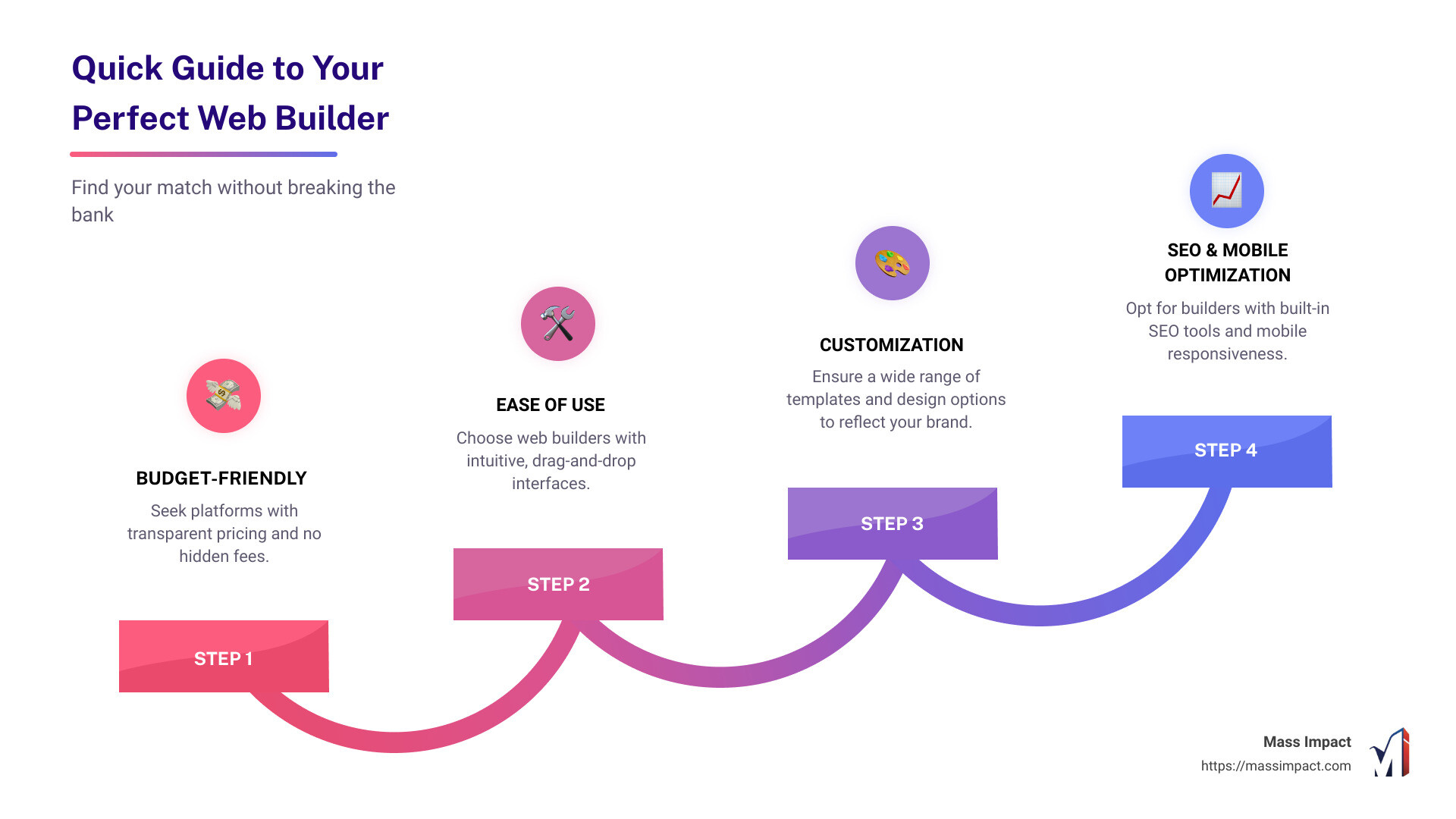
Quick Guide to Finding Your Perfect Web Builder Match:
– Budget-Friendly: Look for platforms with transparent pricing and no hidden costs.
– Ease of Use: Choose builders with intuitive, drag-and-drop interfaces.
– Customization: Ensure there are ample templates and design options to reflect your brand.
– SEO Tools: Opt for builders that offer built-in SEO tools to help your site get found online.
– Mobile Optimization: Make sure your site will look great on all devices.
– Customer Support: Reliable customer service is crucial for troubleshooting.
By focusing on these fundamental elements, you can navigate the sea of web builders and pinpoint the one that will serve as the springboard for your digital success. Let’s dive deeper into understanding what makes a web builder tick and how you can leverage it to flourish online without overspending.
Understanding Web Builders
When you’re on the hunt for the perfect web builder, think of it like picking out a new smartphone. You want something that looks good, feels right in your hands, and has all the features you need to make your life easier. Just like smartphones, web builders come with a variety of templates, customization options, features, and capabilities that can help you create your dream website on a budget. Let’s break these down.
Templates
Imagine walking into a store where every item is a half-finished masterpiece waiting for you to add the final touches. That’s what templates in a web builder are like. They’re pre-designed layouts that give your website a professional look with minimal effort.
Templates are the foundation of your website. They determine the layout, color scheme, and overall feel of your site before you add your personal flair. The best part? You don’t need to be a design whiz to choose a stunning template. Just pick one that resonates with your brand and start customizing.
Customization
Customization is where you bring your website to life. It’s like painting your walls or choosing the perfect throw pillows for your couch. With web builders, customization can range from simple tasks like changing colors and fonts to more complex changes such as adjusting the layout or adding custom CSS.
The key to customization is finding a balance between uniqueness and usability. Your website should not only reflect your brand but also be easy for your visitors to navigate. Tools like drag-and-drop editors make this process a breeze, allowing you to see changes in real-time without touching a single line of code.
Features
Features are the gadgets and gizmos that make your website functional. Think of them as the apps on your smartphone. From ecommerce capabilities to social media integration, features enable your website to do more than just look pretty.
When choosing a web builder, consider the features you need. Do you plan to sell products? Look for ecommerce tools. Want to connect with your audience? Check for blogging and social media options. The right features can transform your website from a static page into a dynamic platform that engages and converts visitors.
Capabilities
Capabilities are all about what your web builder can do for you in the long run. It’s like choosing a smartphone with enough storage and processing power to handle all your apps, photos, and videos without slowing down.
In web builders, capabilities might include SEO tools to help your site rank higher in search results, analytics to track visitor behavior, or mobile optimization to ensure your site looks great on any device. These behind-the-scenes elements are crucial for the growth and success of your website.
Remember that the right web builder should make your life easier, not harder. It should offer a balance of design, customization, features, and capabilities that align with your goals and budget. With this understanding, you’re well-equipped to find your perfect match in the vast world of web builders.
Key Features to Look for in a Budget Web Builder
When you’re on the hunt for a budget web builder, it’s easy to get overwhelmed by the flashy features and marketing jargon. But don’t worry, I’m here to break it down for you. Let’s focus on what truly matters: Templates, Customization, SEO, Ecommerce, Analytics, and Mobile Optimization. These are the core components that will help you build a website that’s not just good-looking, but also functional and effective.
Templates
First off, templates are your best friend. They’re like the blueprint for your website. A good web builder offers a variety of modern, responsive templates that you can easily adapt to your needs. Whether you’re creating a blog, an online store, or a portfolio, there should be a template that fits your vision. A good start can make all the difference.
Customization
Next up is customization. This is where you make the template your own. Look for a web builder that allows you to tweak colors, fonts, and layouts without needing to learn code. It’s all about having the freedom to express your brand’s personality. After all, your website should be as unique as your business.
SEO
SEO, or Search Engine Optimization, is crucial. It’s what helps people find your website when they search on Google. A budget-friendly web builder should include basic SEO tools that let you add meta descriptions, titles, and keywords. This might seem small, but it’s mighty. Good SEO can be the difference between being found and being invisible online.
Ecommerce
For those looking to sell online, ecommerce capabilities are a must. Even on a budget, you should be able to add products, manage inventory, and process payments. It’s all about making it easy for you to sell and even easier for customers to buy. A smooth shopping experience can turn visitors into loyal customers.
Analytics
Understanding your audience is key to growth. That’s why analytics are important. They tell you who’s visiting your site, how they found you, and what they’re interested in. A web builder with integrated analytics tools can provide insights that help you make informed decisions about your content and marketing strategies.
Mobile Optimization
Last but not least, mobile optimization. With more people browsing on their phones than ever before, your website must look great and work well on all devices. A good web builder automatically optimizes your site for mobile, ensuring a seamless experience for mobile visitors.

In conclusion, when choosing a budget web builder, focus on these key features: Templates, Customization, SEO, Ecommerce, Analytics, and Mobile Optimization. These are the building blocks of a successful website. With the right tools at your fingertips, you’ll be able to create a site that not only looks professional but also ranks well, engages your audience, and grows your business.
As we move into the next section, keep these features in mind. They’re what will guide you to find a web builder that’s not just affordable, but also powerful and easy to use.
Top Considerations When Choosing a Web Builder
When you’re on the hunt for the perfect web builder, especially on a budget, there are a few key considerations that can make or break your website creation experience. Let’s dive into what you should keep in mind:
Simplicity
First things first, you want a web builder that’s easy to use. The last thing you need is to spend hours trying to figure out how to add a button or change a photo. A good web builder should have a straightforward, intuitive interface that makes website building as simple as pie.
Code-free Customizations
Not everyone is a coding wizard, and that’s okay! Your web builder should allow you to make your site your own without touching a single line of code. Look for drag-and-drop functionality and easy customization options to ensure you can design your site exactly how you envision it.
Affordability
Budget is a big deal, especially for small businesses or individuals just starting out. Fortunately, many web builders offer great value for money. They might even have free plans or trials to get you started. But remember, it’s not just the upfront cost you need to consider. Look out for any hidden fees or costs that might pop up down the line.
Versatility
Your website’s needs will change as it grows. Maybe you’ll want to add an online store, a booking system, or a blog. Your web builder should be able to handle everything you throw at it. Versatility means you won’t have to start from scratch when you want to add new features or functionalities.
SEO Optimization
What’s the use of having a stunning website if no one can find it? SEO (Search Engine Optimization) is crucial for getting your site seen by your target audience. A good web builder should have built-in SEO tools to help you optimize your content and structure for search engines, ensuring your site ranks as high as possible.
By keeping these considerations in mind, you’re well on your way to finding a web builder that’s not just budget-friendly, but also powerful, easy to use, and capable of growing with your business. The goal is to find a tool that lets you create
a website that reflects your brand, engages your audience, and helps you achieve your online goals. Let’s dive into how you can get started with a web builder to bring your website vision to life.
How to Get Started with a Web Builder
Creating a website can feel like a big task, but with the right web builder, it’s like putting together the pieces of a puzzle. Let’s break it down into manageable steps: selecting templates, customizing design, adding features, and finally, publishing.
Selecting Templates
Your journey begins with choosing a template. Think of a template as the foundation of your house. It’s the basic structure on which everything else is built. Most web builders offer a variety of templates, each designed for different needs and industries.
- Look for a template that matches your vision. Whether you’re creating an online store, a portfolio, or a blog, there’s a template out there that’s a perfect fit for your project.
- Consider the layout and style. Do you want a bold and modern look, or something more traditional? The template you choose should resonate with your brand’s personality.
Customizing Design
Once you’ve selected a template, it’s time to make it your own. This is where your website starts to take on a life of its own.
- Tweak the colors and fonts to match your brand. This step is crucial for creating a cohesive look and feel.
- Add your own images and text. Personal photos and well-crafted copy can transform a generic template into a unique and engaging website.
- Play with the layout. Most web builders allow you to move elements around the page. Experiment with different arrangements to find the most visually appealing and functional design.
Adding Features
Now, let’s add some functionality to your website. Depending on what you want your website to do, you can add various features like:
- Contact forms to make it easy for visitors to get in touch.
- Social media integration to connect with your audience on different platforms.
- E-commerce capabilities if you’re planning to sell products or services directly from your site.
Each feature you add is a tool to engage with visitors and achieve your website goals.
Publishing
Once you’re happy with how everything looks and works, it’s time to hit that publish button. But, publishing isn’t the end of the road; it’s just the beginning of your online journey.
- Preview your site on different devices to ensure it looks good on desktops, tablets, and smartphones.
- Test the functionality. Fill out contact forms, complete a purchase, or sign up for your newsletter to make sure everything works as expected.
After publishing, keep an eye on how your site performs and be ready to make adjustments. A great website is always evolving based on feedback and analytics.
By following these steps, you can take your website from a concept to a reality, without needing to write a single line of code. A web builder is a powerful tool in your arsenal, allowing you to create a professional-looking website that serves your business needs. The most important thing is to start. Your perfect website is waiting to be built.
Frequently Asked Questions about Web Builders
Navigating web builders can sometimes feel like trying to decode a secret language. But don’t worry, we’re here to simplify things. Let’s tackle some of the most common questions people have about web builders.
What does a web builder do?
In the simplest terms, a web builder is your digital construction kit. Imagine you’re building a house. Instead of bricks and mortar, you’re using templates and drag-and-drop tools. A web builder lets you assemble a website by selecting pre-designed elements, arranging them to your liking, and adding your content. No coding knowledge? No problem. Web builders are designed to be user-friendly, making website creation accessible to everyone.
Can I create my own website for free?
Yes, you can! Many web builders offer free plans that allow you to create a basic website without spending a dime. However, it’s important to note that these free plans often come with limitations. You might see the web builder’s ads on your site, or your website’s domain name could include the builder’s brand (like “yourwebsite.webbuilder.com”). If you’re just starting out or need a simple online presence, a free plan could work well. But if you’re looking to build a more professional or complex website, you might want to consider upgrading to a paid plan.
How do I optimize my website for SEO with a web builder?
Optimizing your website for search engines (SEO) is crucial for getting your site seen by more people. Luckily, many web builders come equipped with SEO tools to help you improve your site’s visibility. Here are a few tips:
- Use relevant keywords in your website’s titles, headings, and content. Think about what words people might use to search for your site, and include those words naturally in your text.
- Create quality content that’s useful and interesting to your audience. Search engines love fresh, engaging content that keeps visitors coming back for more.
- Optimize your images by compressing them for faster loading times and using descriptive file names.
- Make sure your website is mobile-friendly. More and more people are browsing the web on their phones, and search engines favor sites that look good on all devices.
- Use the web builder’s built-in SEO tools. Many builders offer features like customizable meta tags, sitemaps, and more to help you fine-tune your SEO strategy.
SEO is a long-term game. It might take some time to see results, but with patience and consistent effort, you can improve your website’s search engine ranking.
Moving forward, let’s dive deeper into how you can harness the full potential of a web builder to create a website that not only looks great but also performs well in search engines and meets the needs of your audience.
Conclusion
In wrapping up our journey through web builders, it’s clear that finding the right tool is crucial for anyone looking to establish or grow their online presence without breaking the bank. Throughout this exploration, we’ve highlighted the importance of templates, customization, SEO, and more. But when it comes down to choosing a web builder that truly aligns with your needs, especially on a budget, consider a partner that brings more to the table than just the basics.
Mass Impact stands out as a beacon for those in search of a web builder that combines affordability with robust features and unparalleled support. Our approach is not just about providing you with the tools to create a website but ensuring that your digital presence can thrive and expand. Whether you’re looking to launch an online store, showcase a portfolio, or establish a strong business presence, we’ve got you covered.
What sets us apart is our commitment to your success. From the moment you start with us, you’ll find that our templates are not only visually appealing but also optimized for conversion. Customization goes beyond colors and fonts; it’s about creating a unique digital experience that resonates with your audience. Our SEO tools are designed to ensure your site is not just a drop in the digital ocean but a lighthouse for your target audience.
Moreover, our platform is built with growth in mind. As your business evolves, so will your website. With Mass Impact, you’re not just choosing a web builder; you’re choosing a partner in your digital journey. Our dedicated support team is here to help you navigate any challenges, while our comprehensive suite of tools ensures your site is always ready to meet the demands of your growing audience.
In conclusion, the journey to finding the perfect web builder on a budget doesn’t have to be daunting. With Mass Impact, you have a partner that offers high value at a low price, backed by positive reviews and a proven track record of helping businesses thrive online. We invite you to explore our offerings and see how we can help you create a website that not only meets but exceeds your expectations. Let’s embark on this digital adventure together, and watch as your business reaches new heights.
In the digital world, your website is your storefront, your business card, and your brand ambassador all rolled into one. Choosing the right web builder is not just a technical decision; it’s a strategic one. With Mass Impact, you’re making a choice for growth, support, and success.