

Introduction
Pay-per-click (PPC) advertising is a powerful tool that can help businesses increase their online visibility. However, without regular audits, you might be spending money without seeing the returns you expect. This is where a PPC audit comes into play.
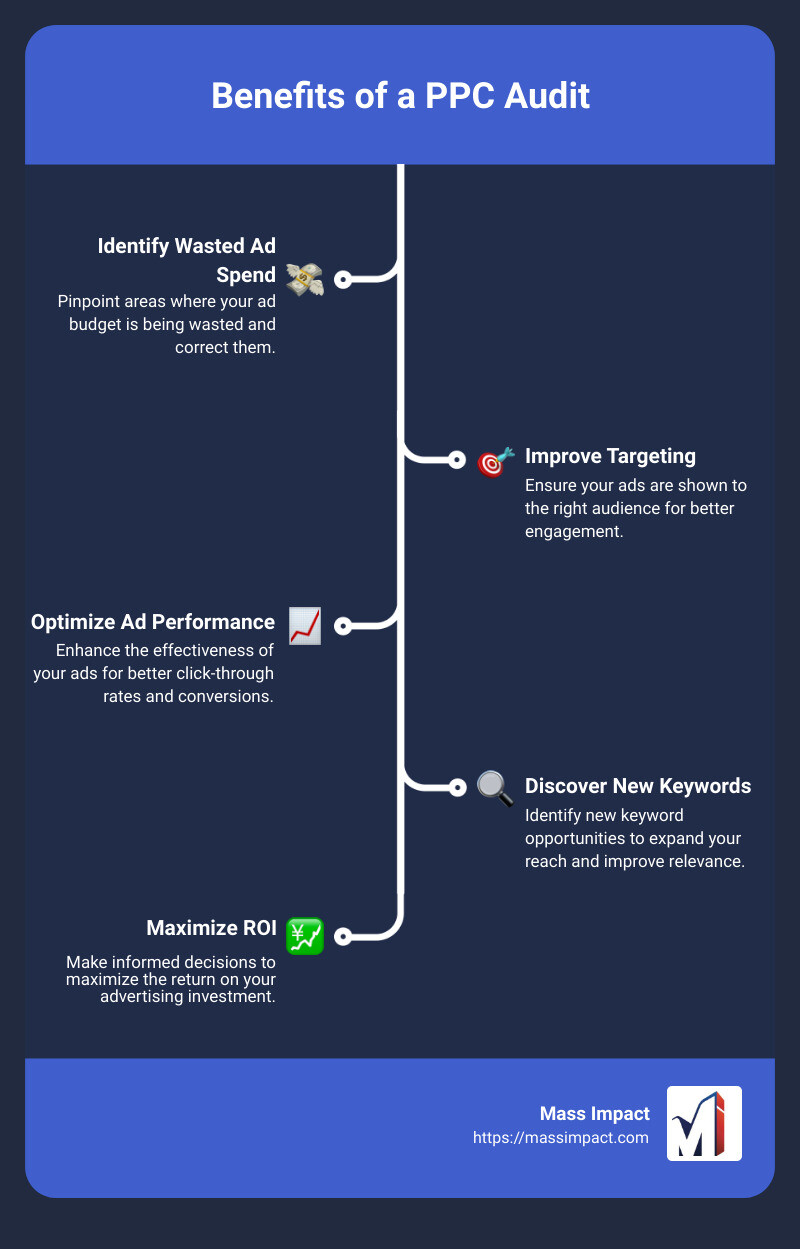
Quick Answer: Benefits of a PPC Audit
- Identify areas of wasted ad spend
- Improve targeting
- Optimize ad performance
- Discover new keyword opportunities
Regular PPC audits can uncover hidden issues, allowing you to optimize your campaigns effectively and maximize your return on investment (ROI). Whether you’re fine-tuning ad copy or adjusting keyword strategies, audits give you a comprehensive understanding of what works and what doesn’t.
Infographic:
Through this guide, we’ll walk you through the essential steps and tools needed to conduct a successful PPC audit, helping you stay ahead of the competition and make informed decisions for your campaigns.
Understanding PPC Audits
A PPC audit is like a health check-up for your pay-per-click advertising campaigns. It involves a thorough examination of your ads, keywords, and overall strategy to ensure everything is running smoothly and efficiently.
Definition
A PPC audit assesses the performance of your paid advertising campaigns. It looks at various elements such as ad groups, keywords, and individual ads to see how well they are performing. The goal is to find areas for improvement and ensure your budget is being used effectively.
Necessity
Why do you need a PPC audit?
- Identify Weak Spots: Sometimes, your campaigns might not perform as expected. An audit helps pinpoint what’s going wrong.
- Optimize Spend: Make sure you’re not wasting money on ineffective ads.
- Boost Performance: Discover new opportunities to enhance your campaigns.
- Understand Your Audience: Learn what works for your target audience and what doesn’t.
Quote: “A PPC audit is the refresh your ad campaign needs to awaken with fresh eyes on your audience.”
Frequency
How often should you conduct a PPC audit?
- Quarterly Audits: A good starting point is to run an audit every three months. This timeframe provides enough data to make informed decisions without overwhelming you.
- Tailored Frequency: Depending on your business needs, the age of your PPC account, and any major changes in your ad platforms, you might need to adjust the frequency. For instance, if you’re a new business, you might need more frequent audits.
Pro Tip: Document all changes and results from each audit to track progress and make data-driven decisions.
Regular PPC audits are crucial for maintaining the health of your campaigns. They help you stay ahead of the competition, optimize your budget, and ensure your ads are reaching the right audience.
Next, we’ll dive into the essential steps you need to follow for a comprehensive PPC audit.
Essential Steps in Conducting a PPC Audit
Step 1: Organize the Data
Start by downloading and organizing your paid campaign data into spreadsheets. This makes it easier to assess your campaigns and create a PPC audit report.
- Download Google Ads data as an Excel or Google Sheets spreadsheet.
- Name the spreadsheet for the current season and year (e.g., PPC Audit Summer 2024).
- Analyze each campaign one at a time. Highlight problem areas (like low impressions) and success areas (like high conversions).
- Look for trends among well-performing and poorly performing campaigns.
Having these sheets helps you visualize your campaigns at a high level, evaluate your progress, and inform any actions to improve your PPC efforts.
Step 2: Check Your Settings
Log into your Google Ads and Google Analytics accounts to check your settings and avoid needless errors. Ask yourself:
- Are your conversions being properly tracked?
- Are your naming conventions consistent and descriptive?
- Are ad groups organized into categories and subcategories?
- Is your Google Analytics account linked to your Google Ads account?
You can check the linking status in your Google Ads account under “Tools and settings” > “Setup” > “Linked accounts” > “Google Analytics (GA4) and Firebase” > “Manage & link.” Ensure the status is listed as “Linked.”
Step 3: Review Ad Content
Your ad’s success depends on how well your unique selling proposition (USP) is conveyed. Re-examine your USP and compare it to competitors to ensure it’s truly unique.
- Analyze your competitors’ ads to see what they include.
- Optimize your ad copy to better promote your USP.
If your Quality Score is 7 or lower, there’s room to improve. To increase your Quality Score:
- Optimize ad relevance by matching your ad’s message to the intent behind its keywords.
- Optimize landing page relevance by ensuring it delivers everything the ad promises.
- Organize your keywords into tighter ad groups.
Step 4: Analyze Keyword Targeting
Optimize your ad groups to ensure you aren’t wasting budget:
- Review your ad groups to add, delete, or reorganize keywords.
- Tightly theme your groups. Each ad group should have keywords with the same target.
- Limit keywords to 5-10 per group.
- Delete low-search-volume keywords (~100 monthly search volume or lower).
- Remove or relocate keywords with low impressions.
- Pause seasonal keywords if they aren’t relevant to the current season.
- Align keyword match types with your PPC goals and budget.
To find new ad group ideas, use tools like Keyword Strategy Builder. Enter seed keywords and analyze the visual preview to identify new ad group opportunities or ways to optimize current groups.
Step 5: Evaluate Quality Score and Ad Performance
Your Quality Score impacts your ad’s placement. It’s determined by factors such as ad relevance and click-through rate (CTR).
- Check your Quality Score in Google Ads.
- Improve ad relevance by matching your ad’s message to the keyword intent.
- Ensure landing page relevance by delivering what the ad promises.
- Tightly theme ad groups to improve relevance and Quality Score.
Step 6: Assess Competitors’ Keyword Strategies
Evaluating your competitors’ keyword strategies can give you a competitive edge.
- Analyze competitor ad positions and keyword gaps.
- Identify opportunities where you can outperform competitors.
- Leverage competitive insights to refine your keyword targeting and ad strategies.
By following these essential steps, you can conduct a thorough PPC audit that helps optimize your campaigns, save money, and uncover new opportunities for growth.
Next, we’ll explore the tools and software that can make your PPC audits more efficient and effective.
Tools and Software for Efficient PPC Audits
Conducting a PPC audit can be time-consuming and complex. Luckily, there are several tools designed to streamline the process and make your audits more efficient. Let’s dive into some of the most effective tools you can use.
Advertising Research Tool
The Advertising Research tool is pivotal for understanding the competitive landscape. It allows you to:
- Analyze competitors’ past and current ad positions: This can reveal which keywords they are targeting and how effective their ads are. For example, by examining a competitor’s ad history, you might find that they have consistently bid on high-converting keywords that you’ve overlooked.
- Identify keyword gaps: This tool helps you discover keywords that your competitors rank for but you don’t. These gaps represent opportunities to capture new traffic and potential customers.

Keyword Manager
A well-organized keyword strategy is crucial for a successful PPC campaign. The Keyword Manager tool helps you:
- Organize and categorize keywords: Keep track of which keywords are performing well and which aren’t. This tool allows you to manage your keyword lists efficiently, ensuring that you focus on high-performing terms.
- Optimize for long-tail keywords: These keywords, which contain three or more words, often have lower competition and higher conversion rates. For instance, instead of “flower shop,” you might target “flower shops in Harrisburg, PA.”
PPC Audit Software
PPC audit software is designed to simplify and automate the auditing process. Here’s how it can help:
- Centralized data analysis: Tools like Sponsoreds’ PPC Audit Tool compile all your campaign data into an easy-to-read format. This includes metrics like ACoS, CTR, and revenue.
- Automated insights: The software provides detailed explanations and suggestions for improvement. For example, it might highlight ineffective keywords or poor ad copy, offering actionable recommendations.
- Time-saving features: Automated analysis saves time and allows you to focus on implementing changes rather than sifting through data manually.

Using these tools can significantly enhance the efficiency and effectiveness of your PPC audits. They provide valuable insights, streamline data management, and help you make informed decisions to optimize your campaigns.
Next, let’s explore some common challenges you might face during PPC audits and how to overcome them.
Common Challenges and Solutions in PPC Audits
Conducting a PPC audit can reveal several issues that might be holding back your campaigns. Here are some common challenges and practical solutions to get your PPC performance back on track.
Low Click-Through Rate (CTR)
Challenge: A low CTR means your ads aren’t compelling enough to get clicks. This can hurt your Quality Score and overall campaign performance.
Solution:
1. Ad Copy Testing: Experiment with different headlines, descriptions, and CTAs. A/B test variations to see which gets the best response.
2. Audience Targeting: Refine your targeting to ensure your ads reach the right people. Use demographic data and user behavior insights.
3. Ad Scheduling: Ensure your ads are shown during prime conversion times. Use your data to identify when your audience is most active.
Poor Conversion Rates
Challenge: Even if your CTR is good, a poor conversion rate means visitors aren’t taking the desired actions on your site.
Solution:
1. Landing Page Optimization: Ensure your landing pages are relevant and deliver on the promise made in your ad. Test different layouts, CTAs, and content.
2. Match Ad Copy to Landing Page: Make sure the message in your ad copy aligns with the landing page content. This improves user experience and trust.
3. Mobile Optimization: Ensure your landing pages are mobile-friendly. A poor mobile experience can drastically reduce conversions.
Ad Content Errors
Challenge: Errors in your ad content, such as outdated offers or incorrect information, can lead to low engagement and wasted spend.
Solution:
1. Regular Reviews: Frequently review your ads fo