Mastering Google PPC Support: Your Ultimate How-To Guide
Google PPC support is essential for anyone using Google Ads to grow their business. If you’re looking for quick answers on how to contact Google PPC support, here’s a brief rundown:
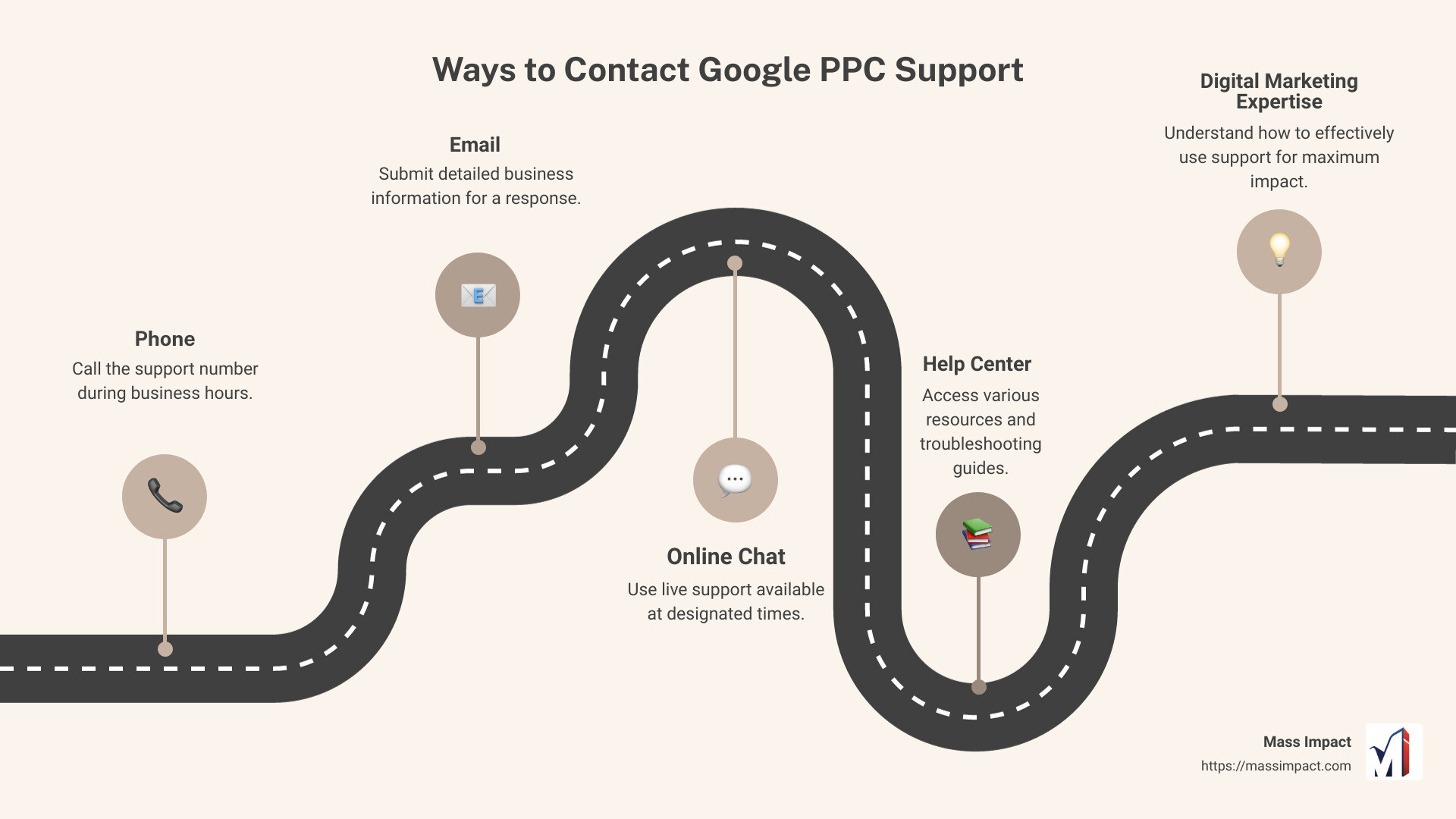
Ways to Contact Google PPC Support:
- Phone: Call the support number during business hours.
- Email: Submit detailed business information for a response.
- Online Chat: Use live support available at designated times.
- Help Center: Access various resources and troubleshooting guides.
Understanding how to effectively use Google PPC support can significantly impact your digital marketing efforts. Whether you’re setting up your first ad campaign, managing budgets, or addressing technical issues, Google PPC support offers the guidance you need to steer complex advertising strategies.
But knowing how to use this support can save you time, money, and ensure you’re making the most out of your ad spend.
I’m Haiko de Poel Jr, a Fractional Chief Marketing Officer with years of experience in digital marketing. My expertise includes helping businesses, both new and established, maximize their marketing potential with tools like Google Ads.
Understanding Google PPC
Pay-per-click (PPC) is a powerful online advertising model where advertisers pay a fee each time their ad is clicked. It’s like buying visits to your site, rather than earning them organically. PPC allows you to reach potential customers who are actively searching for your products or services.
Google Ads is one of the most popular PPC platforms. It lets businesses display ads on Google search results, YouTube, and other Google partner sites. This platform is highly effective for targeting users based on their search queries, making it easier to reach potential customers precisely when they are looking for what you offer.
PPC marketing with Google Ads involves several key components:
- Keywords: These are the terms users type into the search engine. Choosing the right keywords is crucial because it determines when and where your ads will appear.
- Ad Groups: These are clusters of related ads and keywords. Each ad group should focus on a single theme or product category to keep your campaign organized.
- Ad Text: This is the message you want to convey to your potential customers. It should be compelling and include a clear call to action.
- Bidding: This is how much you’re willing to pay for a click on your ad. Google uses an auction system to determine which ads appear and in what order.
- Quality Score: Google evaluates the relevance and quality of your ads, keywords, and landing pages. A higher Quality Score can lead to lower costs and better ad positions.
Why Use Google PPC?
Google PPC offers several benefits:
- Immediate Results: Unlike SEO, which can take months to show results, PPC can drive traffic to your site almost instantly.
- Targeted Advertising: You can target your ads based on location, device, time of day, and more, ensuring your ads reach the right audience.
- Measurable ROI: Google Ads provides detailed analytics, so you can track how your ads are performing and adjust your strategy as needed.
- Budget Control: You set your budget and can adjust it anytime, ensuring you never spend more than you’re comfortable with.
Real-World Example
Consider Jane, who owns an online store selling handmade jewelry. She uses Google Ads to target keywords like “handmade necklaces” and “custom bracelets.” By setting a daily budget and using high-quality images and compelling ad text, Jane sees an increase in traffic and sales almost immediately. Her ads appear when potential customers are actively searching for jewelry, making her ad spend highly effective.
In the next section, we’ll explore how to contact Google PPC support to get the most out of your advertising efforts.
How to Contact Google PPC Support
Navigating Google PPC support can make a big difference in your ad campaigns. Whether you need help with technical issues, billing, or campaign setup, Google Ads support is there to assist you. Below, we’ll break down the various ways to reach out to them.
Contacting Google PPC Support by Phone
Hopping on a call with a Google Ads support team representative is often the most effective way to solve any issues quickly. Phone support is available during specific operational hours, depending on your location. To get started:
- Click on the Call Us option in the contact options box.
- You’ll receive the support number for your country.
Phone support is only available during their working hours. Make sure to call within the designated times to get immediate assistance.
Contacting Google PPC Support via Email
If you prefer not to call, email support is another reliable option. While it may take longer to get a response compared to a phone call, email support is available 24/7. Here’s how to reach out via email:
- Click on the Email option.
- Enter the following required information:
- Your name
- Your Google Advertiser ID
- Your contact email
- The date when the issue appeared
- A summary of the issue
- How you would like the support team to respond (call or email)
This method is excellent for non-urgent issues and allows you to provide detailed information about your problem.
Contacting Google PPC Support through Online Chat
For those who prefer live, real-time support but don’t want to make a phone call, online chat is a fantastic alternative. It combines the immediacy of a phone call with the convenience of text-based communication. To initiate a chat session:
- Select the Chat option.
- Fill in the required fields.
- A chat window will pop open, and a Google Ads support team member will join shortly.
Chat support is only available during operational hours. If you attempt to chat outside these hours, the option may be greyed out.
Help Center and Community Support
Beyond direct contact methods, the Google Ads Help Center offers a wealth of resources. You can find FAQ articles, tutorials, and troubleshooting guides. For community-driven support, click the ‘Ask the community’ button in the Help Center to post your questions and get answers from other advertisers.
In the next section, we’ll explore what Google PPC support can help you with, from ad setup to analytics guidance.
What Google PPC Support Can Help You With
Ad Setup Assistance
Setting up your first campaign can be daunting. Luckily, Google PPC support can help. They can guide you through the basics of campaign setup, offering pointers and troubleshooting tips. While they won’t tell you which keywords to target, they can help you steer the setup process and resolve any technical glitches you encounter.
If you need help creating your first ad, they can walk you through the steps to get your campaign live. For an in-depth guide, check out my quick-start guide.
Technical Campaign Questions
Unsure which campaign type to choose or how to configure specific settings? Google PPC support can assist with these technical questions. For example, if you’re running an eCommerce business and need to sync your product feed to the Merchant Center, they can guide you step-by-step.
They can also help you understand different campaign types and settings, ensuring you make informed decisions. Use their expertise to troubleshoot any technical issues you encounter.
Ad Management Support
Managing your Google Ads account effectively is key to maximizing your return on ad spend (ROAS). While Google PPC support isn’t a substitute for a dedicated ad manager, they can help resolve basic ad management issues.
For instance, if you’re struggling to stay within budget, their team can provide tips on what to look at first. They can’t manage your ads for you, but they can point you in the right direction.
Analytics Guidance
Tracking the right metrics is crucial for any PPC campaign. Google PPC support can guide you on which metrics to track and offer general best practices. While their advice won’t be custom to your specific campaign, it can help you understand the basics of analytics.
For more in-depth understanding, consider investing in Google Ads training. This will equip you with the skills to manage your account and maximize your returns.
Billing and Account Questions
Billing issues can be a headache, but Google PPC support is here to help. Whether you need to change your credit card details, understand your billing period, or resolve ad disapprovals, they’ve got you covered.
They can also clarify Google’s advertising policies to ensure your ads comply with guidelines. If you encounter technical problems related to billing or account settings, their team can help troubleshoot and resolve them.
In the next section, we’ll discuss the limitations of Google PPC support and what they won’t help you with.
What Google PPC Support Won’t Help You With
While Google PPC support is a valuable resource for many issues, there are limitations to what they can assist with. Here’s a breakdown of what they won’t help you with:
Ad Management
Google PPC support is not an ad management service. They can provide basic guidance and answer questions, but they won’t dive deep into your account to manage your ads for you. If you’re looking for someone to continuously optimize your campaigns, you’ll need to hire an experienced PPC specialist.
Complex Analytics
Google PPC support can help you understand basic metrics and reporting tools. However, they don’t handle complex analytics setups or custom reports. For detailed insights and advanced analytics, consider investing in specialized training or consulting with an analytics expert.
Performance Outcomes
Google PPC support cannot guarantee specific performance outcomes. They won’t promise a certain number of clicks, conversions, or return on investment (ROI). Their role is to provide technical support and guidance, not to ensure your campaign’s success.
Competitive Neutrality
That Google PPC support works for both you and your competitors. They provide neutral advice to avoid jeopardizing anyone’s position. Hence, their recommendations will be general and not custom to give you a competitive edge over others.
In the next section, we’ll share tips for maximizing the help you get from Google PPC support.
Tips for Maximizing Google PPC Support
To get the most out of Google PPC support, you need to approach it strategically. Here are some tips to help you prepare and get the best results:
Preparation
Before contacting support, gather all relevant information about your issue. This includes:
- Account details: Have your Google Ads account ID ready.